首頁 / Workflow
The full loop
From WhatsApp photo to monday.com and invoice
Seven clear steps. Steps 1–5 are the live product direction on WhatsApp. Steps 6–7 extend into your ops stack: monday.com All Jobs / CRM, then invoice or receipt PDF from the accepted quote.
-
1. Customer sends a photo
治療、套餐或項目查詢——文字或相片。
WhatsAppPhoto / text
-
2. Matched to your price list
Items detected; your unit prices and rules applied — not generic AI guesses.
Your ratesSurchargesDistrict rules
-
3. Draft HKD quote in chat
Clear line items appear in the same thread for you to review.
Invisible 初診 ×1 HK$800 美白套餐 ×1 HK$2,800 週末附加 HK$200 合共 HK$3,800
-
4. You approve or edit
Nothing sends blindly. You stay in charge of every price.
Approve & sendEdit
-
5. Customer gets the quote fast
同一 WhatsApp 對話。可附 FPS/PayMe/PayPal 付款連結。
Delivered in-threadHK$620
-
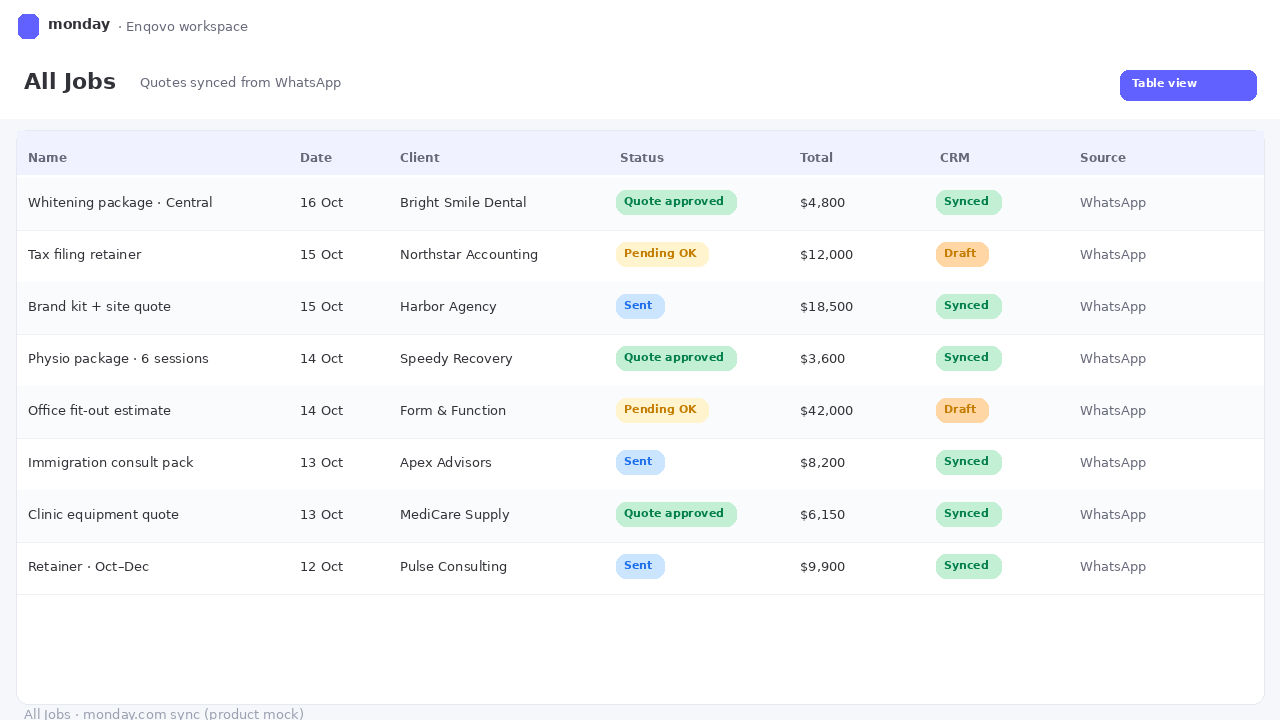
6. Sync to monday.com
After approval, push the quote into All Jobs / CRM: customer, line items, total, status, WhatsApp context — less spreadsheet copy-paste.
monday.comAll JobsCRM
-
7. Invoice or receipt PDF
When the quote is accepted, generate invoice/receipt PDF from approved line items — Book Keeper flow. No rebuilding the bill by hand. No random third-party invoice SaaS claimed here.
PDF readyINV from accepted quoteINV-0620 · 中環診所方案 初診 + 美白 合共 HK$3,800 From accepted quote
Steps 6–7 are honest roadmap tied to Nick’s monday.com + Book Keeper stack. They are shown as full steps so the site reads as a real product path — not a vague “extend later” pill. Core WhatsApp loop (1–5) remains the live direction today.